Authenticating in the Rucio cluster
Once your SWAN session is launched with the Rucio extension enabled, you need to authenticate with the Rucio cluster to access datasets.
Recommended Authentication Method
X.509 Proxy Certificate: If you have a proxy certificate, the extension can use it directly for authentication.
As a general procedure, make sure that your grid user certificate and key are present in the ~/.globus folder in the SWAN session, and execute the command:
voms-proxy-init --voms <your-experiment>
--cert and --key to specify the path of your credentials if they are not in ~/.globus, and --out to specify the path of the proxy produced by the command.
Tip
If you are setting up environments or software stacks specific to your experiments (e.g. setupATLAS), you might already have a way to obtain a proxy certificate.
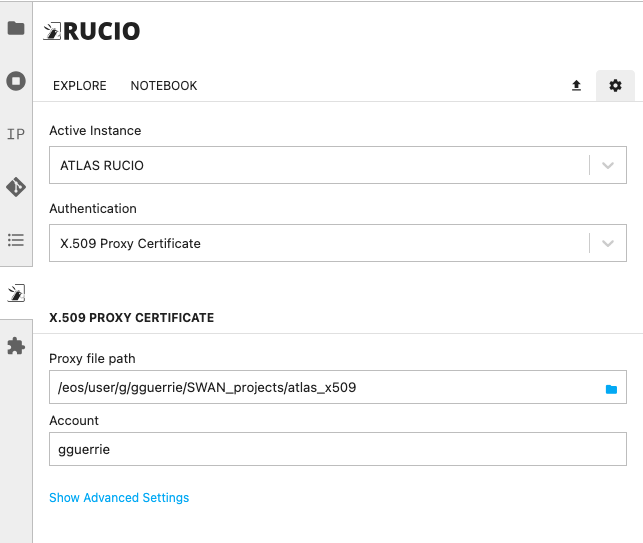
Once you have obtained the proxy, click on the ⚙️ button at the top right corner of the extension, and setup your credentials as shown in the image below.
Other Authentication methods
-
Username & Password
-
X.509 User Certificate
-
OpenID Connect (OIDC) Tokens